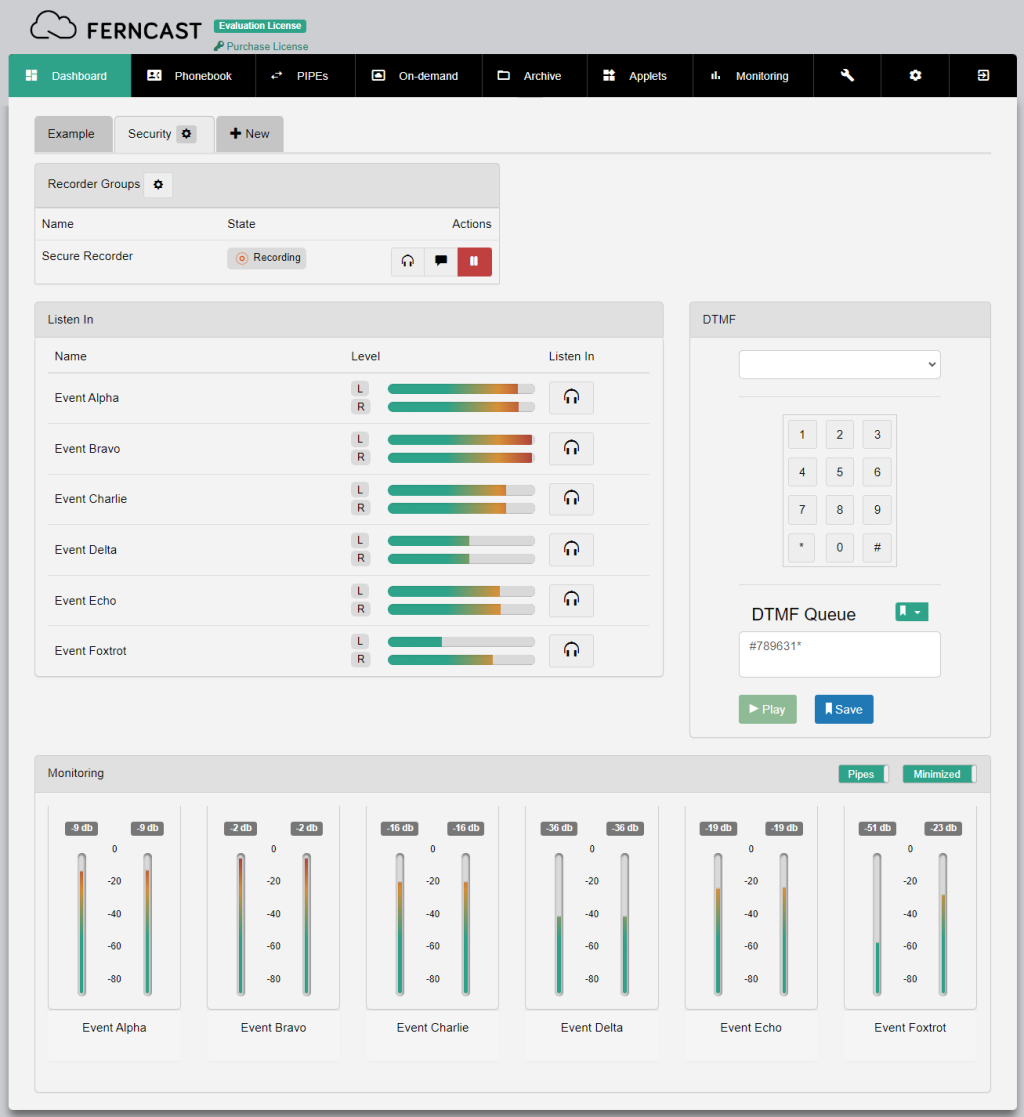
The dashboard is the fully configurable control center for aixtream. Every user can customize their dashboard exactly as they need it to be. The great variety of widgets available for aixtream ensure almost every operation can be performed through the dashboard.
| ? | Widgets? |
| Widgets are the individual, optional user interface elements which make up the dashboard. Every widget serves a specific function. |
| ! | Removing a widget or dashboard |
| Removing a widget or a dashboard also removes any configuration of those widgets. If you want to remove an extensively configured widget (for example Quick Actions), we recommend you export a backup configuration of your dashboard. |

| Element | Description |
| Gear icon | Opens the Customize Dashboard menu for the specified dashboard. There, widgets can be added or removed from the specified dashboard. |
| + New | Creates a new dashboard and opens the Customize Dashboard menu for it. |
¶ Creating a new Dashboard
- Click in the top left on +New
- Give the new dashboard a unique, identifiable name (top field).
- Drag the desired widgets from the pool into the desired place.
- Applied (top section): Active widgets for the current dashboard.
- Pool (bottom section): Inactive widgets which are still available.
- Click on Save Changes.
| ! | Multiple Dashboards |
| You can have multiple dashboards ready at the same time. Additional dashboards are added with a click on +New and can then be edited just like the first one. Afterwards you can switch between the different dashboards with a click on the respective tabs. |