This menu is the place where audio connections and calls are configured. Other kinds of transmission and audio processing are also configured here. Configured PIPEs can also be controlled from here.
| ! | What's a "PIPE"? |
| A PIPE is a graphical depiction of the the entire connection configuration from start to finish, from source to sink. This includes the encoder as well as special audio processing options like loudness control, resampling and remixing, which can be configured together with the rest of the connection. |
| L | Links |
| See PIPE elements for a list of available PIPE elements. For details on how to configure a PIPE see Edit PIPEs. |
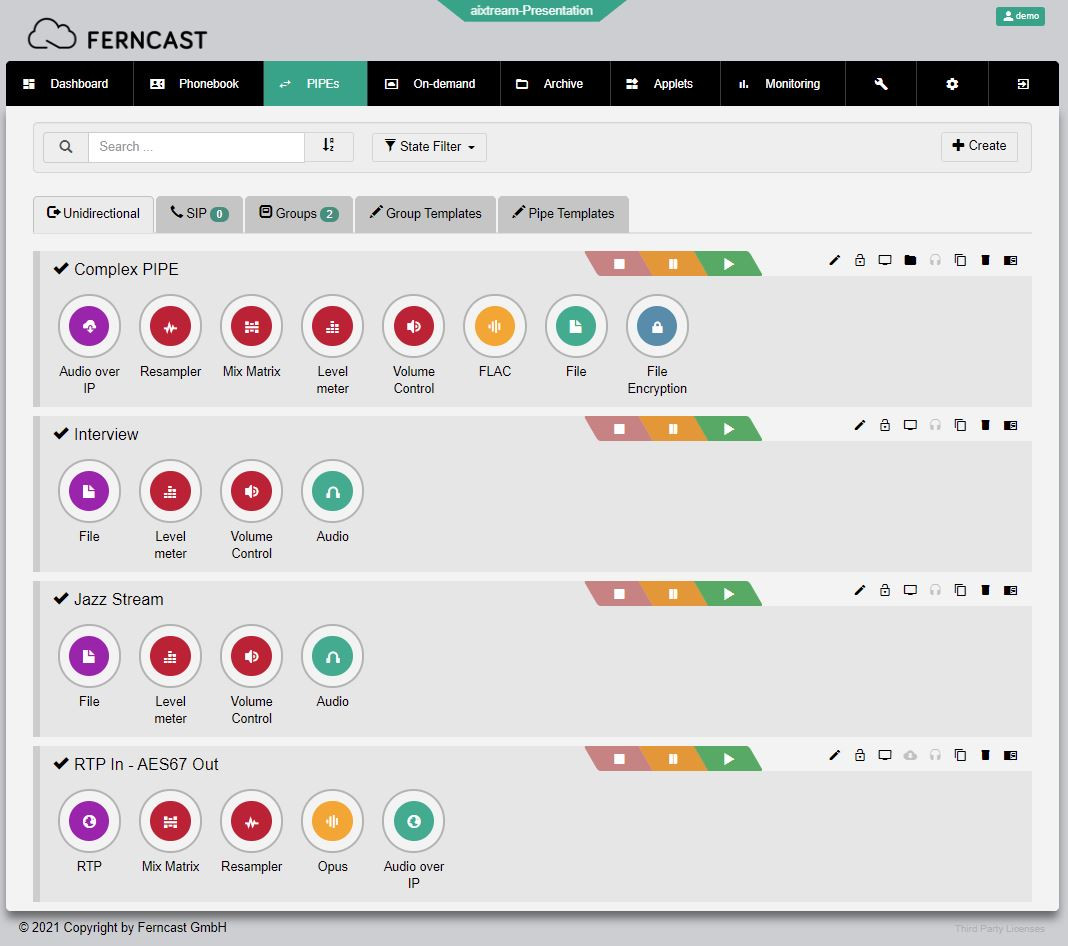
| Element | Description |
| Search bar | Filters the displayed PIPEs by the entered search term (including names of used PIPE elements). |
| Filter |
Filters the displayed PIPEs by their connection status.
|
| Tabs |
Changes the listed view to the respective types of PIPEs.
|
| + Create | Creates a new PIPE and opens the submenu to edit it. |
 |
The control panel for PIPE activity.
|
 |
Further options for the respective PIPE. Starting from the right:
|