This guide explains how to configure aixtream to take an EDI stream provided by another system and deliver to a remote system via SRT. The guide is separated into three sections: How to get the EDI into aixtream, how to set up the SRT transport and how to receive and unpack the SRT on the remote end (assuming it is an aixtream system).
¶ Tx configuration
¶ Input of the EDI
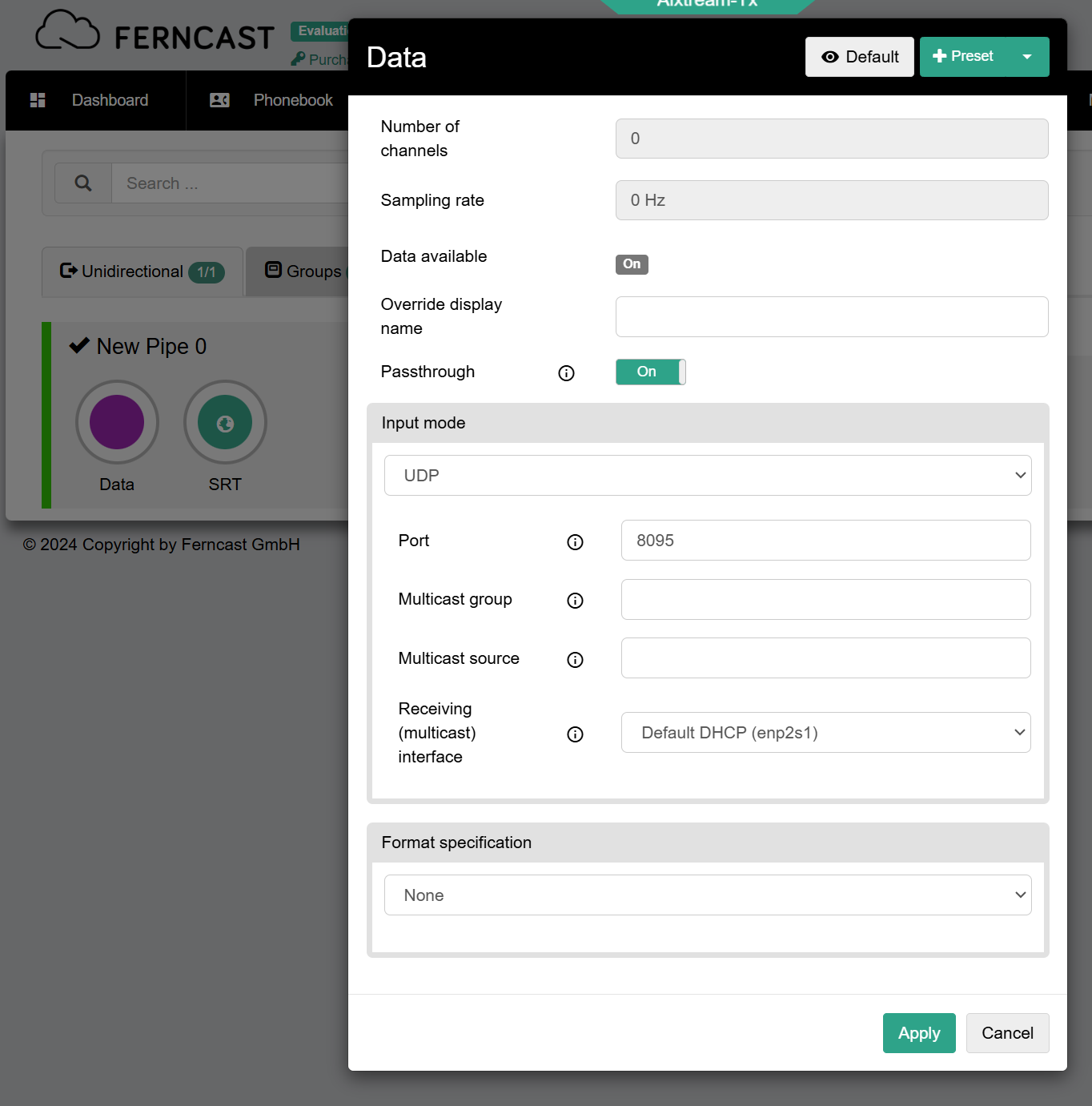
For inputting the EDI into aixtream, use the Data source with Input mode “UDP”. See image below for basic configuration. You must adapt the Multicast configuration for your network. The Port may also need to be changed.
¶ Delivery of the EDI via SRT (Tx)
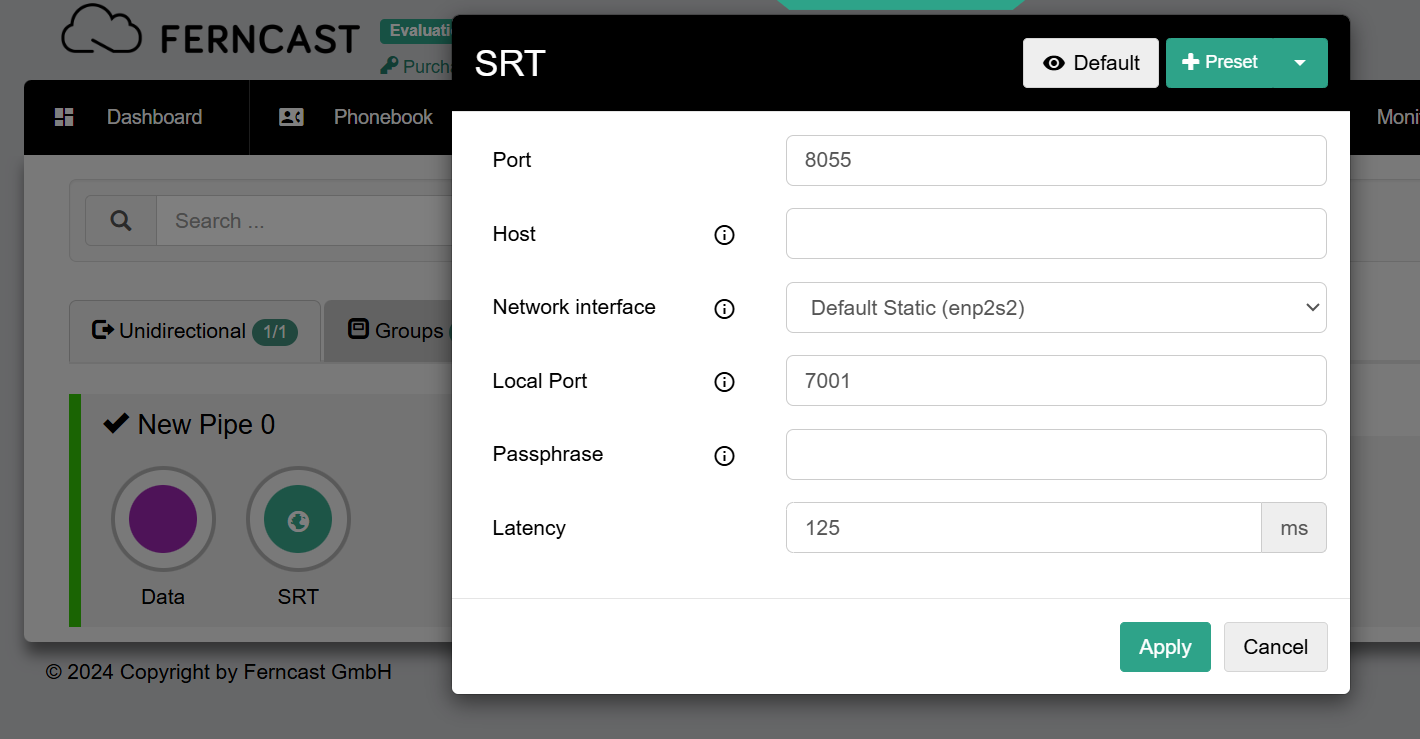
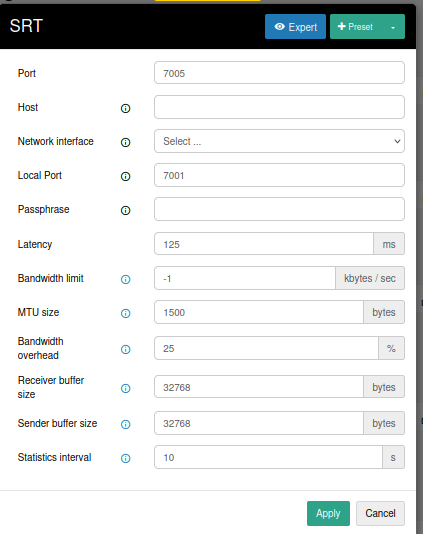
Output of the EDI requires the SRT sink. See image below for basic configuration. Ensure that Port, Passphrase, etc. match the configuration on the Rx side.
You can bind the SRT output to a specific output interface.
¶ Rx configuration
¶ Reception of the SRT stream
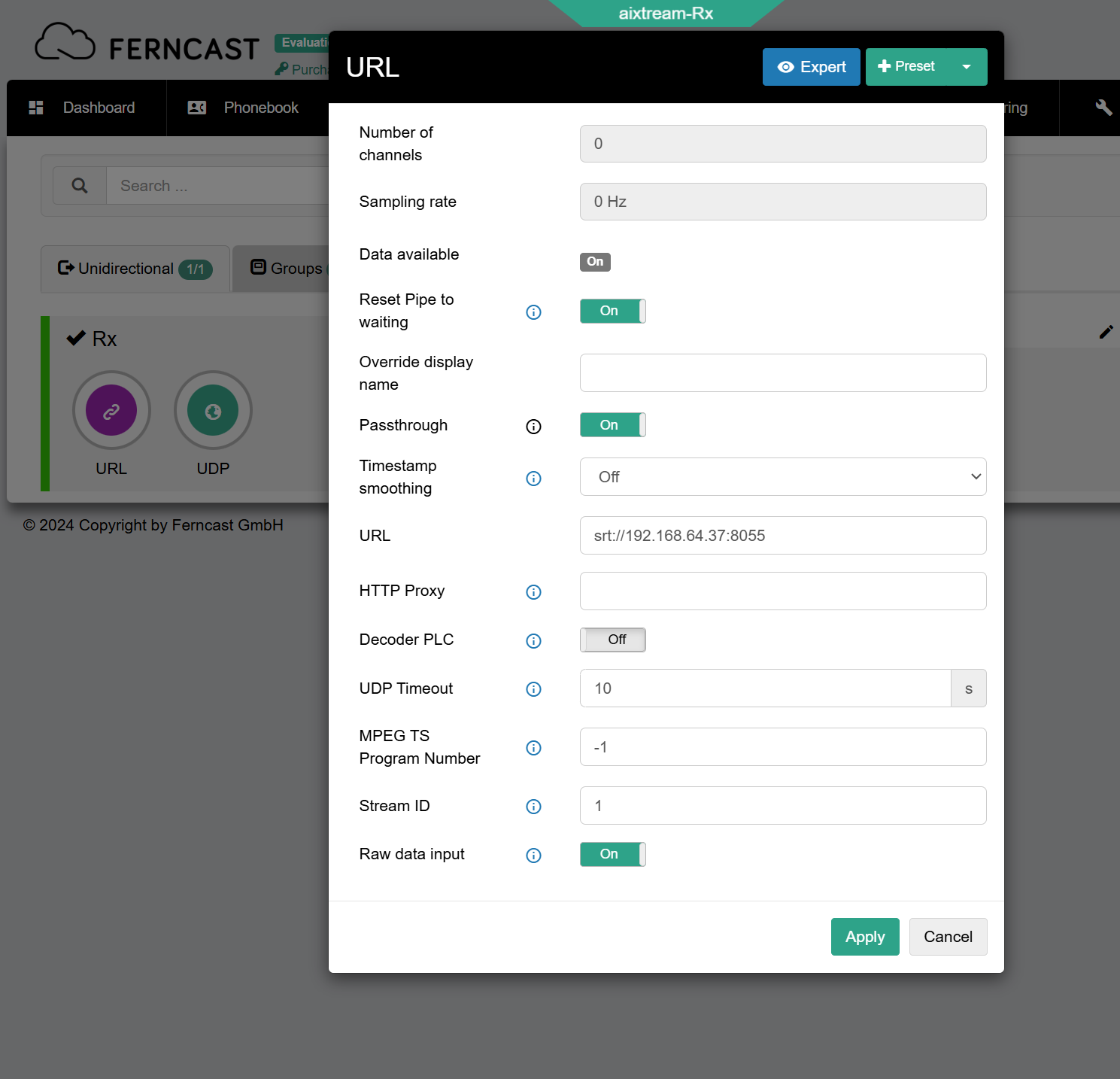
For receiving an SRT stream, you need the URL source element. In the element configuration of the URL source, enter “srt://” plus either the receiving port or the source IP. See image below for an example.
Setting a port means the system is listening on that for any SRT connections. If you have changed the sending port on the Tx system, change the chosen port on the Rx system to match.
¶ Output of the EDI
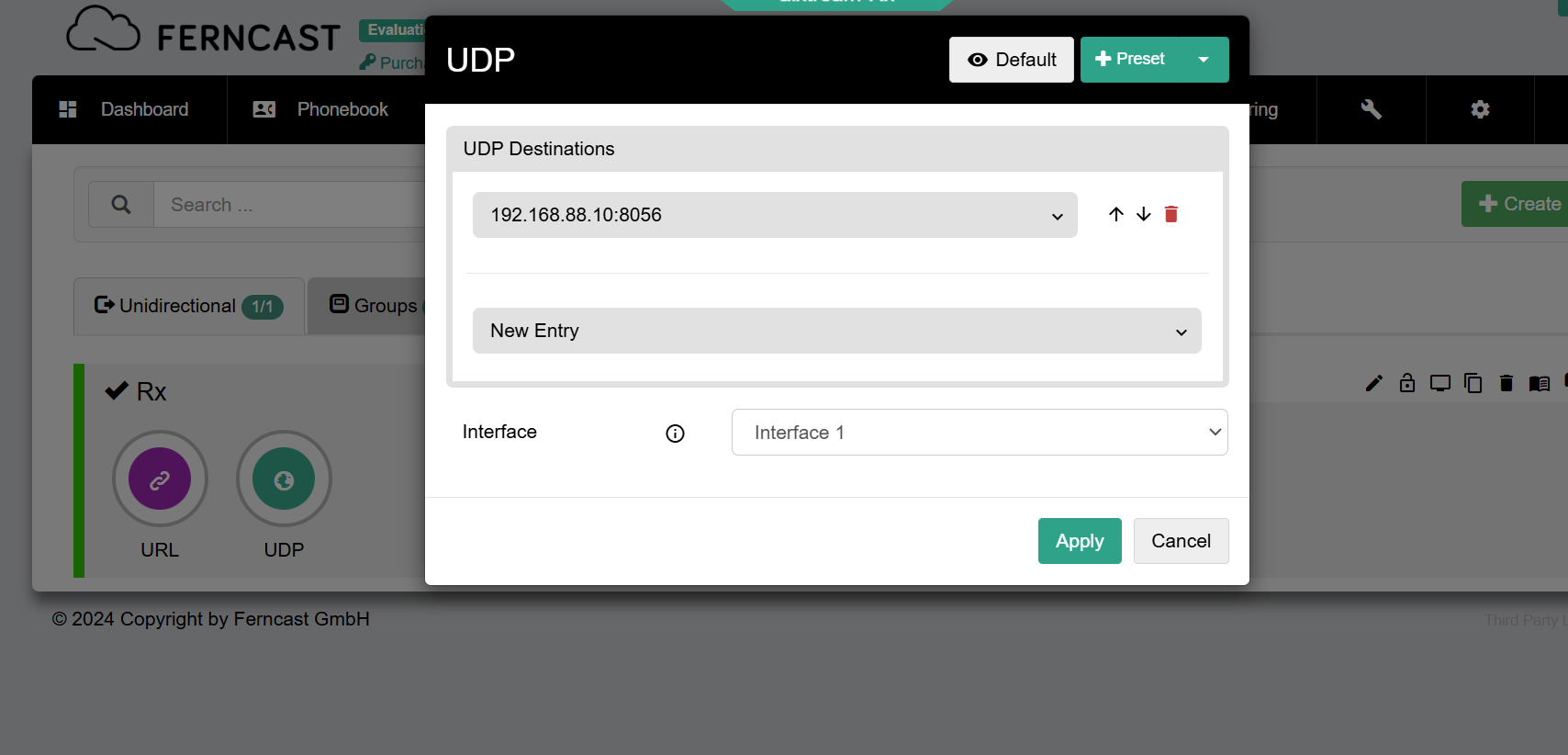
Use the UDP sink element to configure the output of the EDI into the network on the Rx side. Configure Host IP, Port and Interface as normal to establish a UDP connection.
¶ Tracked SRT parameters
SRT Transmission parameters relevant to this use case include:
- maxbw 0.. SRTO_MAXBW Bandwidth limit in bytes
- mss 76.. SRTO_MSS MTU size
- oheadbw 5..100 SRTO_OHEADBW limits bandwidth overhead, percents
- rcvbuf bytes SRTO_RCVBUF Receiver buffer size
- sndbuf bytes SRTO_SNDBUF Sender buffer size.
See here for more details on these.
All SRT statistics can be tracked in the Log, while Debug mode (Backend) is enabled. See System for how to enable the Debug mode.
¶ Troubleshooting
¶ Buffer size issues
SRT streams including EDI tend to require a larger buffer to accommodate third-party receivers. If you encounter such issues, try to adapt the following configuration. Note that you have to enable the Expert view to have all the options available.
¶ Payload size
Newer versions of aixtream include the option to change the Payload size in the SRT sink element. This might be necessary to ensure compatibility with third-party receivers. We recommend you set the value to “1456”.