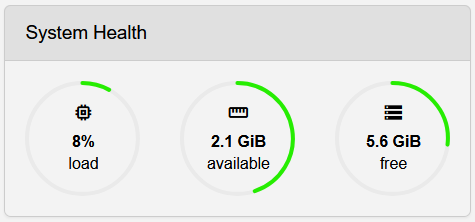
This widget displays the system's performance status.
From left to right:
- CPU load in percentage
- RAM usage displaying free memory in GB
- Storage usage displaying free space in GB
The color of the ring shows the degree of load:
- Green: OK
- Yellow: High
- Orange: Very high
- Red: Critical
| ! | Critical system load |
| A red ring shows critical system load. If your System Health widget is showing that much load, immediately stop all unnecessary PIPEs and processes. Then, upgrade your system or optimize your workflows if possible. Long-term use under critical system load can lead to permanent damage of the hardware. If you are unsure how to solve an issue with critical system load, contact support@ferncast.de. |