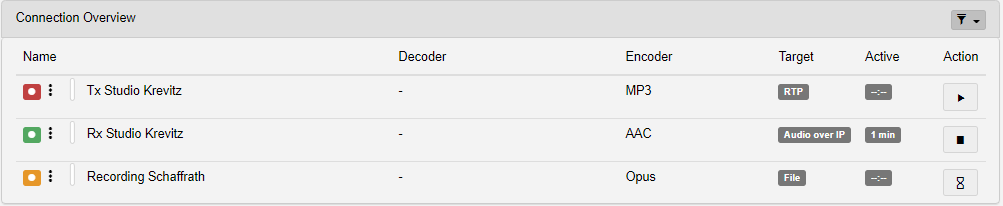
| Element | Description |
 |
The color of this icon indicates the connection status. Hovering with your cursor over the dotted line shows you which channels the connection uses.
|
| Name and Level Meter | Lists the name of the respective connection. Note that there is also a small level meter to the left of the game. |
| Decoder | Shows the decoder used with this connection (when applicable). |
| Encoder | Shows the Encoder configured for this connection. |
| Target | Shows the Sink element used for this connection. |
| Active | Shows how long the connection has been running. |
| Action |
Shows the current status of the connection and allows you to start/stop the connection.
|
|
Filter (top right) |
Click on this icon displays the available filter options. Only connections whose status matches a filter set to ON are displayed. |